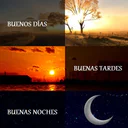
Buenos días tardes y noches
- 4.8
- Rating
- 500.00K
- Installs
- Free
- Price
 Analysis by App-foxy
I usually judge a greeting app by one simple question: does it help me send something warm quickly, or does it make a small task feel like work? Buenos días tardes y noches is built for the first situation. It is a free comics-category app from Go.To IT focused on cheerful morning, afternoon, and evening messages, with images and short greetings that can be shared when a plain “good morning” feels a little too bare.
After spending time with it, I see a very specific purpose rather than an all-purpose messaging tool. It is useful when I want a ready-made visual greeting for family, friends, or contacts who enjoy receiving a daily image. It is less convincing if I prefer writing my own words, designing polished cards, or having a broad library of stickers and editing tools in one place.
How I decide whether a greeting app is worth keeping
My first test is speed. A greeting app should let me find an appropriate message without scrolling through a complicated interface or building a design from the beginning. The second test is variety in everyday use: morning messages should not be the only practical option if I also want to send something later in the day. The third is social fit. A playful image may work perfectly for a relative, while a more restrained message might be better for a colleague.
You May Also Like

 Blood Strike: 2.5 Anniversary
Blood Strike’s Loadouts Turn Every Drop Into a Tactical Gamble
A close look at Blood Strike’s custom loadouts: how fast access to signature weapons reshapes its battle royale rhythm, rewards preparation, and narrows the gap between fights.

 Pandora - Music & Podcasts
Pandora’s Music Is Easy to Start, but Harder to Recover
Pandora’s strength is its low-effort path from a seed to a station. Its weak spot is how much confidence it asks you to place in connection, setup, and quiet recovery.

 8 Ball Pool
 Is Built on Rivalries, Rematches, and Routine
A close look at the rivalries, rematches, shared routines, and unanswered safety questions that turn a quick pool match into a persistent mobile community.

 Samsung Music
’s Quiet Strength Is Playing What You Already Own
Its reach comes less from spectacle than from dependable access to a personal library. That simplicity is both the app’s strongest retention engine and its ceiling.

 AccuWeather: Weather Radar
AccuWeather Review: A Quick, Clear Forecast for Everyday Decisions
For everyday plans, the best forecast is the one you can understand quickly. AccuWeather makes rain timing, radar, and local conditions easy to act on, with a few trade-offs.

 Hill Climb Racing
Why Hill Climb Racing Still Turns Crashes Into One More Run
A tiny car, a bumpy hill and one more upgrade: Hill Climb Racing keeps resurfacing because its simple chaos makes every near-miss feel personal.
More From Our News Desk



This app passes the basic convenience test because its purpose is immediately understandable. The store’s short description is simply “Buenos días,” while the broader summary points toward morning, afternoon, and evening greetings. In practice, that combination tells me to expect a focused collection rather than a full social network or a sophisticated graphics editor. That narrow focus is important when deciding whether it belongs on your phone.
I also consider how much effort switching from my usual routine will require. Many people already use a messaging app, a keyboard with stickers, or a social platform to send greetings. A dedicated app only earns its place if it offers a faster route to a finished image or gives me a style I cannot easily reproduce elsewhere. Here, the appeal is the ready-to-send character of the content, not advanced customization.
The audience figures suggest that this is not an obscure experiment. It has a 4.8 average from around 49 thousand ratings, and it has passed 500 thousand installs. I would not treat popularity as proof that every image will suit my taste, but it does make the app feel like a practical option with an established audience rather than a tool I would install only for testing.
What the browsing experience is good at
The strongest use case is a repeated social habit. Imagine waking up, remembering a parent or friend who appreciates these messages, and wanting to send a pleasant image before starting work. Instead of composing a card, choosing a background, and searching for a suitable phrase, I can open a focused greeting collection and look for something that matches the moment. That saves more time over a week than it does in a single session.
The separation between morning, afternoon, and evening matters more than it may seem. A message sent at the wrong time can feel copied or careless. Having greetings associated with different parts of the day makes the app more useful for people who send messages beyond the early morning. It also helps me avoid using the same generic image for every contact and every occasion.
My practical tip is to browse before I need to send anything. When I am in a hurry, I tend to choose the first acceptable image. If I look through the available greetings during a quiet moment, I can identify a few styles that fit different people: bright and playful for close friends, gentle and simple for family, and less decorative options for contacts who may not enjoy busy graphics. This turns a basic collection into a small personal routine.
Another useful habit is to match the message to the relationship instead of forwarding automatically. A daily greeting can become impersonal when it is sent to everyone unchanged. I would use the app as a starting point, then add a short personal line in the messaging app when the recipient matters. That extra sentence is often more valuable than searching for a more elaborate picture.
Where this app has a clear advantage
Its main advantage is focus. I do not have to open a general image editor and decide how to construct a greeting from an empty canvas. I also do not need to search a large social platform where unrelated posts compete for attention. For someone who wants a visual “good morning,” “good afternoon,” or “good evening” message with minimal preparation, that directness is the reason to choose it.
The comics classification also gives a clue about its tone. I would expect the presentation to lean toward illustrated, expressive, and friendly material rather than formal business stationery. That makes it a natural fit for casual conversations, family groups, and contacts who enjoy colorful greetings. It may be less suitable for professional communication, where a plain sentence or a restrained design usually feels more appropriate.
I like the fact that the app is free to start. That lowers the barrier for someone who only wants to test the collection and see whether its style fits their contacts. The app includes in-app purchases ranging from $0.99 to $9.99 per item, so I would still pay attention to any optional purchase screen rather than assuming every part of the experience is included without cost.
That pricing detail creates a useful decision rule: install it for the free experience first, and only consider paying if the extra material genuinely changes how often you use the app. If I am sending one greeting a month, purchasing additional content would be hard to justify. If I maintain a daily family tradition and the free selection becomes repetitive, an optional purchase may make more sense, provided the added content matches my preferred style.
Small workflow choices that improve the results
I would not send every image directly to every conversation. First, I would check the day and time, then preview the wording and visual tone. This is especially important in group chats, where a highly personal or overly enthusiastic greeting can feel out of place. The app is at its best when I use it selectively rather than treating it as an automatic broadcast machine.
I would also keep a distinction between a greeting image and a real conversation. The image opens the interaction, but it should not replace a reply when someone answers. This sounds obvious, yet it is one of the main trade-offs of ready-made content: convenience can encourage repetitive communication. Used thoughtfully, the app helps me begin a warm exchange; used mechanically, it can make my messages feel routine.
For older relatives or friends who are not comfortable with design tools, the simplicity can be a genuine benefit. They may not want to learn layers, templates, fonts, or image cropping. A focused greeting app gives them a more approachable way to share something visual. On the other hand, people who already enjoy creating personalized cards may find the same simplicity limiting.
The age rating is Teen, which is worth keeping in mind when deciding who should use it and what kind of audience it is intended to serve. I would still review individual greetings before forwarding them to younger family members, because an age label does not tell me whether every illustration or phrase will suit every household.
When a different type of app is the better choice
I would choose a general messaging app when the goal is a personal conversation rather than a decorative greeting. A typed message lets me respond to what is actually happening in someone’s life, and it avoids the risk that a forwarded image will look impersonal. If I only send occasional wishes, opening an additional app may create more friction than it removes.
I would choose a design or photo-editing app when customization is central. Someone who wants to add a family photograph, change the wording, select specific colors, or create a card for a birthday will probably want more control than this focused comics app is designed to provide. The trade-off is time: editing tools offer flexibility, but they require decisions and effort before anything can be shared.
I would also consider a sticker or GIF keyboard for fast, expressive replies inside an existing conversation. That approach is convenient when I am already chatting and want to add a reaction without leaving the keyboard. The dedicated greeting app is more suitable when I specifically want a complete morning, afternoon, or evening card rather than a small conversational accent.
Social platforms can be better for public posts or broad sharing, but they bring a different experience. I may have to search, crop, or adapt content to a feed, and the greeting can become part of a larger stream of updates. This app makes more sense when the intended destination is a direct message or private group and the greeting itself is the main point.
The important limitation is therefore not that the app fails at editing or conversation; it is that those are not its central jobs. I would skip it if I need original writing, detailed controls, professional presentation, or one tool that handles every kind of visual communication. Its narrowness is an advantage only when my need is equally narrow.
What switching really costs
Moving from a familiar routine to a dedicated app has a small learning cost. I need to remember to open it, find a suitable time-of-day greeting, and then continue the sharing step in my preferred messaging service. That is still easier than designing an image, but it is more involved than typing a sentence directly. Whether the switch is worthwhile depends on how often I send these messages.
There is also a style cost. Ready-made greetings carry the app’s visual personality, so my messages may look less individual than cards I create myself. If the recipient enjoys cheerful illustrations, that is a positive. If they prefer understated communication, I may need to choose carefully or skip the image altogether. I would not install this expecting every contact to appreciate the same presentation.
Storage and attention are practical considerations too. A focused app is easy to ignore when I do not need it, but it can become unnecessary clutter if my greeting habit fades. I would keep it only if I actually use the morning, afternoon, or evening categories. The fact that the current version is 1.6.6 and supports Android 5.0 or later makes it accessible to many older Android devices, but compatibility alone is not a reason to keep an app that does not fit my routine.
The developer is Go.To IT, and the app’s long presence since April 22, 2016 gives it the feel of a maintained, established title rather than a newly launched collection. Still, I would judge it by my own daily use: do I find appropriate messages quickly, do the images suit the people I contact, and does the free portion provide enough variety? Those questions matter more to me than longevity by itself.
For someone worried about spending money, my approach would be conservative. I would use the free material first, avoid treating optional purchases as necessary, and decide only after seeing whether the app has become part of a real communication habit. The listed purchase range is modest at the low end but meaningful at the high end, so a quick impulse purchase would not be my recommendation.
Who should install it
I recommend trying it if you regularly send visual greetings to family or friends, especially when you want coverage for more than one part of the day. It is also a good match for people who prefer choosing from prepared illustrations instead of writing or designing from scratch. The app can be particularly convenient for a daily greeting routine where speed and a friendly tone matter more than originality.
I would recommend it less strongly to users who rarely send greeting images. If your normal habit is a short text, voice message, or reaction sticker, this app may add an extra step without improving the conversation. Likewise, designers and highly personal communicators may outgrow it quickly because the value comes from selection, not deep creative control.
My best advice is to treat it as a message starter, not a replacement for thoughtfulness. Choose an image that fits the recipient, add your own words when appropriate, and do not feel obliged to send something simply because the category encourages daily greetings. That approach preserves the convenience while avoiding the repetitive feeling that can make forwarded content less meaningful.
My recommendation after using it
Buenos días tardes y noches is a focused, approachable choice for ready-made illustrated greetings. Its free entry point, clear purpose, and coverage of morning, afternoon, and evening messages make it more useful than a single-purpose “good morning” collection for people with an active sharing habit. The strong user response, with a 4.8 average and around 49 thousand ratings, supports the impression that its basic idea works for many users.
I would install it when I want a quick visual message and do not need to create a design myself. I would skip it when I want detailed personalization, professional cards, or a direct conversation without decorative content. In my view, the right reason to keep this app is repeated convenience, not novelty: if it helps me send a thoughtful greeting several times a week, it earns its place; if I only open it once, my regular messaging app is probably the better choice.
That makes the final decision fairly simple. Try the free experience, compare the available tone with the people you actually message, and pay attention to whether the workflow feels faster than your current method. If the illustrations fit your circle and the time-of-day categories become part of your routine, this comics app is an easy recommendation. If not, a personal text, sticker keyboard, or customizable design tool will likely serve you better.
FAQs for Buenos días tardes y noches
01What features does Buenos días tardes y noches offer?
Buenos días tardes y noches provides users with a variety of daily greetings and inspirational quotes to start, continue, or end their day positively. The app includes customizable notifications, a wide selection of languages, and the ability to share messages easily with friends and family through social media platforms.
02Is Buenos días tardes y noches available for both Android and iOS?
Yes, Buenos días tardes y noches is available for download on both Android and iOS platforms. Users can find it on the Google Play Store for Android devices and the Apple App Store for iOS devices, ensuring accessibility for a wide range of smartphone users.
03Does the app require an internet connection to function?
Buenos días tardes y noches requires an internet connection for initial download and for updates. However, once the daily messages and quotes are loaded, users can access them offline. This feature allows users to enjoy the app’s content even when they are not connected to the internet.
04Is there a cost to download and use Buenos días tardes y noches?
The app is free to download and use, offering a wide range of features at no cost. However, it includes optional in-app purchases for users who want to unlock additional premium content or remove ads for an enhanced experience.
05How can I customize the notifications in the app?
Users can easily customize notifications in Buenos días tardes y noches by accessing the settings menu within the app. Here, they can choose the timing for morning, afternoon, and evening messages, and select which types of quotes or greetings they wish to receive, tailoring their experience to personal preferences.
Pros
- User-friendly interface with intuitive navigation.
- Wide range of customizable alarm sounds.
- Option to set recurring reminders easily.
- Integrates seamlessly with calendar apps.
- Lightweight and doesn't drain battery.
Cons
- Limited themes for personal customization.
- No option for voice command setup.
- Ads can be intrusive at times.
- No integration with smart home devices.
- Requires internet for some features.

Buenos días tardes y noches
Gallery